Revive Single-Key Keyboard Brightness Shortcuts on macOS
[md]March 11, 2026
Do you use a Macbook or an Apple Keyboard with backlighting? Was your keyboard made after 2016?
Take a look at your keyboard. What the hell are the magnifying glass and microphone keys?
I miss my old dedicated keyboard brightness keys. Here's how to bring 'em back.
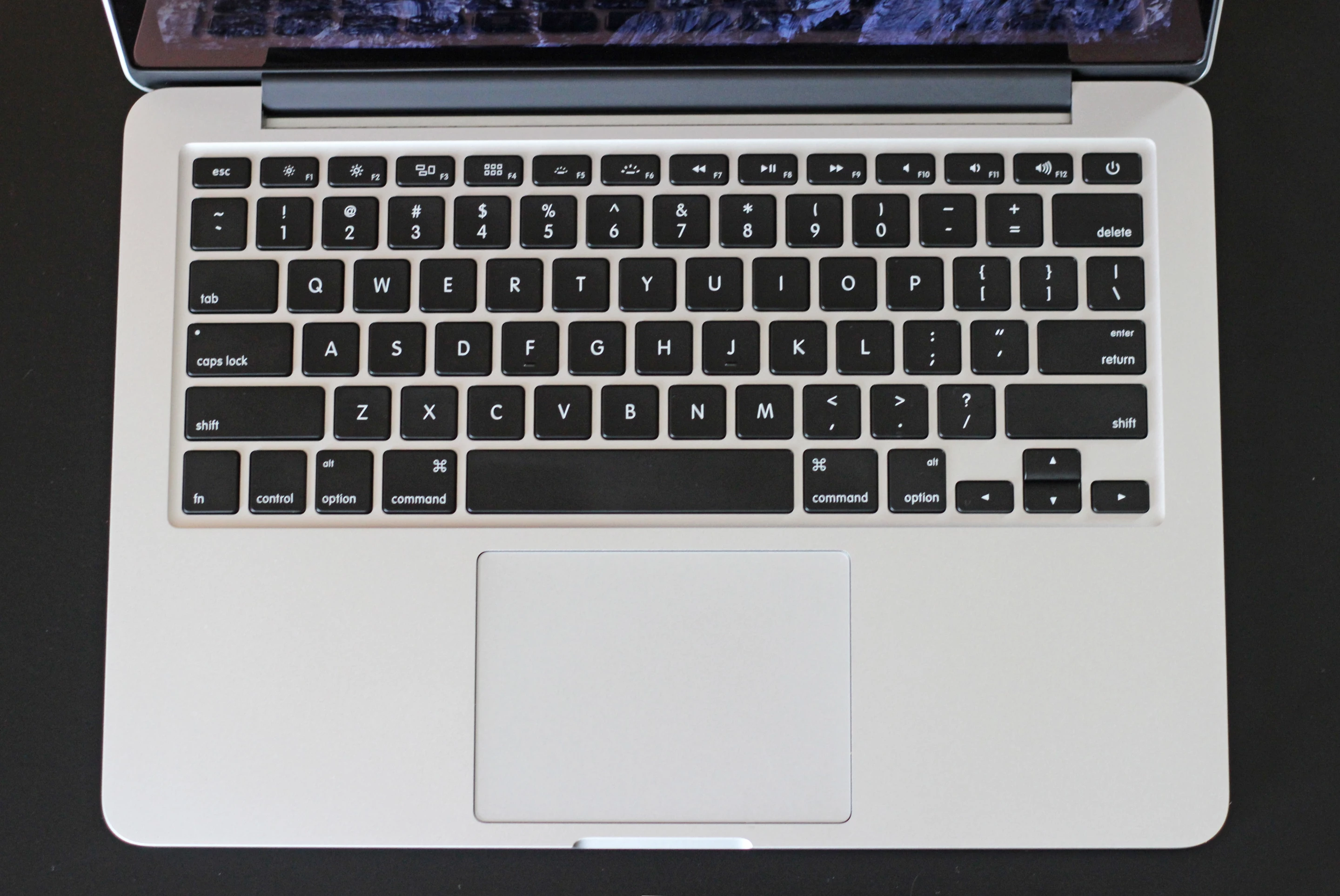
If you've been using Macs for over a decade, you might remember when those keys looked like this:
Today, we're faced with this:
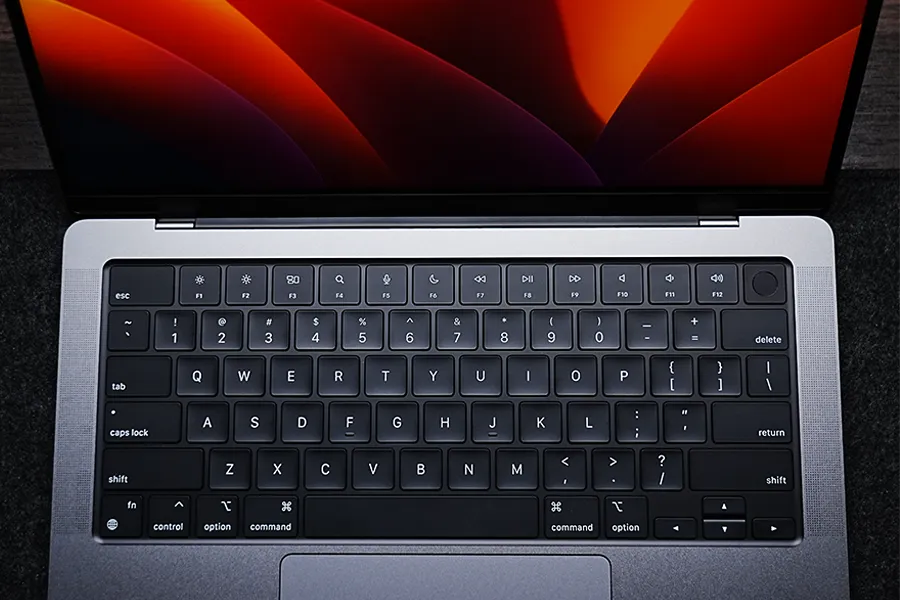
Apple has always struggled to fill the F keys row with useful functions. I know Dashboard has fans, and presumably some people still use the Exposé key, but motion gestures have always suited me better for those tasks. Thankfully the Dashboard/Launcher key is dead these days. But now we have... a key dedicated to Spotlight and a key dedicated to Dictation?
CMD + space is incredibly easy to hit and remember for launching Spotlight. I simply don't need a dedicated key for Spotlight when I have this shortcut.
I don't use Dictation. I don't enjoy talking to machines. (Dictation fans: feel free to disagree, I'm sure it's a great feature for some of you!)
I'll allow that the moon icon is theoretically useful, even if I don't use Focus modes on my Mac. But what if we could bring back the old 2015-era keyboard brightness controls instead of these useless Dictation and Spotlight keys?
Fortunately that's quite easy to do, and you don't need any third-party software to do it.
-
Create a LaunchAgent that uses Apple's built-in Human Interface Devices to remap the keys using the commands below:
- Create a
LaunchAgentsdirectory for your user profile, if you don't already have one:mkdir -p ~/Library/LaunchAgents - Write a Property List (
plist) that maps source ("Src") keys to destination ("Dst") keys by setting a property with Apple'shidutil:- F5/Spotlight (
0xC000000CF) toillumination_down(0x0C00000221) - F6/Dictation (
0x10000009B) toillumination_up(0x0C0000022B)
cat <<EOF > ~/Library/LaunchAgents/com.local.KeyRemapping.plist <?xml version="1.0" encoding="UTF-8"?> <!DOCTYPE plist PUBLIC "-//Apple//DTD PLIST 1.0//EN" "http://www.apple.com/DTDs/PropertyList-1.0.dtd"> <plist version="1.0"> <dict> <key>Label</key> <string>com.local.KeyRemapping</string> <key>ProgramArguments</key> <array> <string>/usr/bin/hidutil</string> <string>property</string> <string>--set</string> <string>{"UserKeyMapping":[{"HIDKeyboardModifierMappingSrc":0xC000000CF,"HIDKeyboardModifierMappingDst":0x0C00000221},{"HIDKeyboardModifierMappingSrc":0x10000009B,"HIDKeyboardModifierMappingDst":0x0C0000022B}]}</string> </array> <key>RunAtLoad</key> <true/> </dict> </plist> EOFRunAtLoadensures that this command runs every time you load a user session -- typically, when you first login after shutting down your computer. - F5/Spotlight (
- Create a
-
Unload the old keymappings, if you have any:
launchctl unload ~/Library/LaunchAgents/com.local.KeyRemapping.plist 2>/dev/null -
Load your new keymapping:
launchctl load ~/Library/LaunchAgents/com.local.KeyRemapping.plist
Hit your magnifying glass and microphone keys, and you should see the keyboard brightness change indicator pop up on your screen. And, of course, your keyboard backlight will change brightness. You won't need to ever change these settings again, unless Apple decides to remap the keys in the future or you reinstall macOS from scratch.
It's not quite the same as having properly-labeled dedicated keys. They're not even the exact same keys -- this uses F4 and F5 instead of F5 and F6, so we can keep the vaguely-useful Focus key around while putting the keyboard brightness keys side-by-side. But as someone who misses the ability to change your keyboard brightness with a single click, I'll take it.